
One understandable flow
Keep the document in view. Take the next step with context.
Swiss Trust Layer keeps sealing, signing and verification as distinct journeys. The interface never turns a service request, a preview or a provider handoff into a claimed result.
Design samples
See the journey in the app.
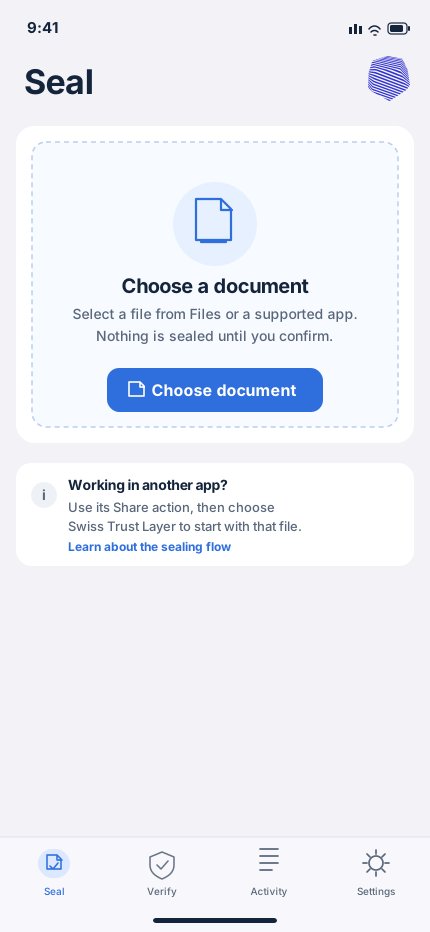
These reference screens show how Swiss Trust Layer keeps the person and the PDF in context from local selection to a returned result and a separate verification check.
Showing Step 01: Choose a PDF.
Feature 2 · Interaction sample
Electronic signature begins with a clear request, not an assumed outcome.
The person chooses self-signing, one counterparty or several counterparties. The app then collects the route, visible-field placement and sequential signer order before a server-side Swisscom MAB request is created.
- Choose yourself, one signer or several signers.
- Choose the first signer; the provider-supported flow remains sequential.
- Request a documented route such as ZertES or eIDAS when it is supported.
- Show consent, invitation and completion facts only when the provider returns them.
Electronic signatureOriginal PDF · draft request
Who needs to sign?
Pick the request type before an invitation or provider request exists.
iDesign sample only. No invitation, eligibility or signature result is claimed until the connected service returns it.
Two focused services
Choose the right route for the document.
Seal + Timestamp
Review a PDF, request the configured timestamp-seal service, and receive the returned result. Verification remains a separate, read-only journey.
- PDF-focused document flow
- Clear review and progress states
- Independent verification after a result
Electronic signature via Swisscom MAB
Sign yourself or invite one or more participants in the provider-supported sequential flow. ZertES and eIDAS appear only when returned by the configured service capability.
- Decide who signs first
- Review visible signature or QR placement as a document preview
- Show invitation and completion states only after provider confirmation
Made for the screens people use
One product journey. Native platform behaviour.
The visual system adapts to available space while keeping selected-document context, recovery and accessibility clear.
iPhone
Focused tab navigation, native file choice and concise review sheets.
iPad
Sidebar or split view keeps useful document context present.
Phone & tablet
Material 3 navigation, system picker, Sharesheet and adaptive layouts.
Mac
Desktop workspace, keyboard-first flow and native document handling.
Windows 11
Fluent workspace, WinUI-style navigation and document integration.
Clarity at the boundaries
Important decisions deserve precise information.
Account & eligibility
Account creation, social login and recovery happen in the Swiss Trust Layer admin portal. A one-time hosted KYC check is an account-eligibility gate when practical service use requires it.
Independent verification
Verification is a separate document check through the configured CH Validator integration. A successful service request does not by itself claim a verification result.
Human help when it matters
Contextual guides and support help people understand the flow. Support is a user-initiated contact path, not an automatic transmission of documents or identity information.
Before real service use
Account setup stays in the right place.
When an account, sign-in or one-time KYC eligibility check is needed, the app opens a secure portal handoff and preserves the selected-document context for the return journey.
KYC confirms account eligibility. It is not a signature result, timestamp result or document-verification claim.
App Store
Get ready for the official release.
When the App Store listing is issued, the official product URL will be placed here. Until then, the complete workflow and support paths are available to explore.
Release configuration: replace APP_STORE_URL in the page source with the approved App Store product URL.